 Listicle
Are Hockey Training Apps Worth It for Beginners?
Last Updated: November 28, 2026
Quick Summary
Yes, hockey training apps are worth it for beginners, provided you pick one that teaches decisions rather than just drills. The best hockey training apps for beginners turn spare minutes at home into structured reps on positioning, puck control and skating habits, which is exactly what new players lack most.
- Score each app on six criteria, including skill focus, age fit and session length, before comparing price.
- Ten to fifteen minutes per session is realistic for kids and adult beginners alike.
- Start with a stick, a ball or golf ball, a smooth surface and about fifteen minutes.
- Follow a twelve-week plan with two short home sessions per week plus booked ice time.
- Pick one plan and give it the full twelve weeks before judging whether it worked.
Table of Contents
- Are Hockey Training Apps Worth It for Beginners?
- What to Look For in an App When You're Just Starting Out
- How a Hockey Drills App Builds Stickhandling, Shooting and Skating
- Using an App to Learn Hockey Positioning Without Chasing the Puck
- At-Home Training: What You Need Before You Start
- Realistic Progress Milestones for a Beginner Training Plan
- Free Trial, Subscription or One-Off Purchase: Weighing the Cost
- Download Hockey Positioning™ and Start With One Scenario
- Frequently Asked Questions
Are Hockey Training Apps Worth It for Beginners?
Yes, hockey training apps are worth it for beginners, provided you pick one that teaches decisions rather than just drills. The best hockey training apps for beginners turn spare minutes at home into structured reps on positioning, puck control and skating habits, which is exactly what new players lack most.
Here is the honest version most reviews skip: an app cannot replace a coach. What it can do is make every practice count more, because a player who already understands the shape of the game asks better questions and stops chasing the puck.
Below, we break down what actually matters when you are choosing your first app, what to practise at home, and how to judge progress without a scoreboard.
What to Look For in an App When You're Just Starting Out
The first thing to check is whether the app teaches concepts or just collects drills. A drill library builds hands; positioning content builds hockey sense.
Most app roundups stop at a feature list. What actually helps a first-time player or parent is a way to compare options on the things that decide whether the app gets used twice. Before you download anything, score each candidate on these six criteria:
- Skill focus. Does it cover stickhandling, shooting and skating only, or does it also teach positioning and decision-making? Beginners benefit most from an app that mixes puck skill with game sense, because drills without context fade fast.
- Coaching style. Is instruction delivered as video, animated scenarios, text cues or live coach feedback? Animated and visual formats tend to hold younger players; text-heavy libraries suit motivated adults.
- Age fit. Check whether the content is pitched at youth players, adults, or both. An app built around pro-level systems will lose a seven-year-old quickly.
- Session length. Ten to fifteen minutes per session is realistic for kids and adult beginners alike. Look for apps that structure practice into short blocks rather than long unstructured libraries.
- Trial and cost model. Note whether there is a free trial, a subscription, or a one-off purchase, and whether one account covers multiple players in a family.
- Device and usability. Confirm it runs on the phone or tablet you own, whether it needs an internet connection, and whether it is simple enough for a child to navigate alone.
A simple way to use this: write the six criteria down, give each app a quick pass or fail, and only then compare price. The cheapest app that your player never opens is the most expensive option on the list.
Watch out: a long drill library can look impressive in a screenshot but overwhelm a beginner. Fewer, sequenced sessions beat a huge catalogue every time.
If you want to compare specific options before committing, our breakdown of the 7 best hockey training apps for adults covers the field in more detail.
Match the App to Age, Goals and Available Space
A five-year-old, a twelve-year-old and a forty-year-old adult beginner need different things from the same app. Young players moving from half ice to full ice need positioning basics. Competitive youth players need power play and penalty kill scenarios. Adults in recreational leagues need to understand their role in the defensive zone before their first shift.
Space matters too. A garage, a driveway or a basement corner handles stickhandling and dryland work. Positioning content needs no space at all, which makes it the easiest win for families in small homes.
A practical filter is to match the app to the constraint you actually have. If space is tight, prioritise positioning and off-ice footwork content. If ice time is limited, prioritise apps that prepare a player to use that ice time well.
How a Hockey Drills App Builds Stickhandling, Shooting and Skating
A hockey drills app builds skill through repetition in short, focused blocks, and the best ones sequence those blocks so each session adds one small upgrade.
Shooting drills work the same way. Start with stationary wrist shots focusing on weight transfer, then add movement. Skating is where home training gets creative, since footwork, balance and agility can be trained off the ice with lateral hops, single-leg holds and quick-feet work.
If skating speed is your main goal, these drills that make you faster on skates pair well with any app-based program.
What most guides miss is that drills without game context fade fast. A player who practises stickhandling while also learning where to be on the ice retains both, because the two reinforce each other.
Using an App to Learn Hockey Positioning Without Chasing the Puck
Positioning is the skill beginners neglect most, and it is the one parents ask us about constantly. Watch a youth game and you will see a swarm of players following the puck into one corner. That is not laziness. It is a player who has never been shown what the correct option looks like.
Hockey Positioning™ addresses this directly. Players drag the puck across a full interactive ice surface and watch every player move to the right spot for that scenario, with pro coaching tips at each location. There are no complicated diagrams and no whiteboard lectures. For a seven-year-old, seeing it move is what makes it stick.
For a deeper walkthrough aimed at adults, read how to learn hockey positioning as an adult beginner.
At-Home Training: What You Need Before You Start
You need very little to start: a stick, a ball or golf ball, a smooth surface and about fifteen minutes. That is the honest equipment list for home practice, and it costs far less than most parents expect.
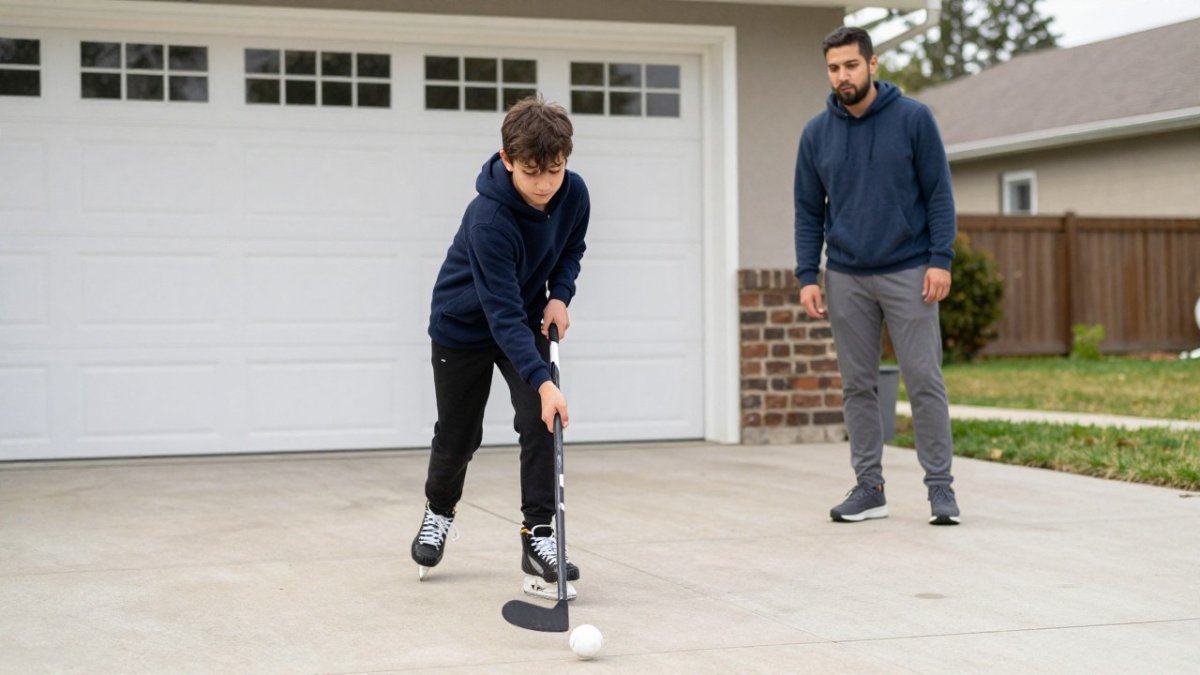
Before you buy anything, check our guide to the best hockey gear for adult beginners so you spend on what actually matters first.
Watch out: practising on rough concrete chews through stick blades fast. Use a smooth garage floor, a sport court tile or an old stick you do not mind wearing down.
Realistic Progress Milestones for a Beginner Training Plan
Realistic milestones for a beginner look like this: weeks one to four, the player can stickhandle with their head up for short bursts.
That timeline works best when it is attached to a plan. Here is a simple twelve-week structure a beginner or parent can follow, using two short sessions per week plus whatever ice time is already booked:
- Weeks 1-4: puck control and stance. Two 10-15 minute home sessions per week on stickhandling with a ball or golf ball, wide to narrow, forehand to backhand. Add one positioning scenario per week and have the player explain it back to you.
- Weeks 5-8: movement and positioning. Keep one stickhandling session and replace the second with shooting or off-ice footwork. Add two positioning scenarios per week, focusing on defensive-zone responsibilities.
- Weeks 9-12: game context. Alternate stickhandling, shooting and footwork across the two sessions, and work through power play and penalty kill scenarios so the player sees how positions connect.
Track three things only:
- Head-up time during stickhandling
- Positional discipline in scrimmages, meaning how often they leave their zone
- Confidence on the bench, which parents notice before coaches do
To make those measurable without a scoreboard, use simple counts. Time how long a player can stickhandle while looking up before losing the puck, and repeat the test every two weeks.
Progress in positioning often shows up as fewer wasted strides, not more goals.
Watch out: beginners often chase a new app or a new drill set every few weeks. Changing tools resets the comparison, so pick one plan and give it the full twelve weeks before judging whether it worked.
Here is the twelve-week structure the article lays out, with two short home sessions per week plus whatever ice time is already booked.
| Phase | Focus | Home sessions and scenarios |
|---|---|---|
| Weeks 1-4 | Puck control and stance | Two 10-15 minute stickhandling sessions; one positioning scenario per week |
| Weeks 5-8 | Movement and positioning | One stickhandling session, one shooting or footwork; two positioning scenarios per week |
| Weeks 9-12 | Game context | Alternate stickhandling, shooting and footwork; power play and penalty kill scenarios |
Free Trial, Subscription or One-Off Purchase: Weighing the Cost
Try before you commit is the rule here. Most training apps offer a free trial, and a beginner should use it to test one thing: will your child open it a second time without being asked?
Subscriptions suit families who want ongoing content updates and multiple players. One-off purchases suit households that want a single tool and no recurring bill. Neither is automatically better. What matters is whether the content matches your player's age and level.
For a clear look at what these tools typically charge, read what a hockey position training app costs before you enter any payment details.
Download Hockey Positioning™ and Start With One Scenario
The hardest part of learning hockey is not skating. It is knowing where to go. Hockey Positioning™ was programmed by hockey professionals to make that visible, with an interactive ice surface, pro coaching tips at every puck location, and full positioning for every game scenario, from power plays to penalty kills. Players aged 5 to 13 and adults new to the game can use it a couple of times per week to build hockey sense away from the rink.
Download Hockey Positioning™ and start with one scenario. Pick a single situation, work through it until your player can explain it back to you, then add the next one.
Frequently Asked Questions
What should beginners look for in hockey training apps?
Look for three things: a drill library that matches your age and skill level, clear visual instructions you can follow without a coach standing next to you, and a way to track progress over weeks rather than one session. For young players, check that the app is simple enough to use alone or with a parent. For anyone working on game sense, pick an app that shows where to be on the ice, not just how to move the puck. A free trial lets you test all of this before paying.
Can a hockey training app help you learn positioning?
Yes, if the app shows the full ice and how players move as the puck moves. Positioning is hard to learn from a static diagram because the correct spot changes with every pass. Hockey Positioning™ lets you drag the puck across an interactive ice surface and watch players shift to their correct spots for scenarios like power plays and penalty kills, with coaching tips at each puck location. A few short sessions per week build the habit of reading the ice instead of chasing the puck.
Are there hockey training apps for practising at home?
Many apps are built for exactly that. Off-ice options cover stickhandling, shooting accuracy and footwork with minimal equipment: a stick, a ball or golf ball, and a few metres of flat space. Positioning apps need no equipment at all beyond a phone. Set a realistic routine, two or three short sessions a week, and keep the space clear of anything breakable. Check the app's free trial first to confirm the drills suit the space you actually have.
How do I know a hockey training app is actually working?
Watch for specific changes on the ice rather than general improvement. A player using a positioning app should start arriving in the right area before the puck does, and parents should notice less puck chasing. For drills, track something measurable, such as how many stickhandling repetitions your child completes without losing control. Most apps include progress tracking for this reason. Give it four to six weeks of consistent use before judging, and ask the coach whether they see a difference in games.